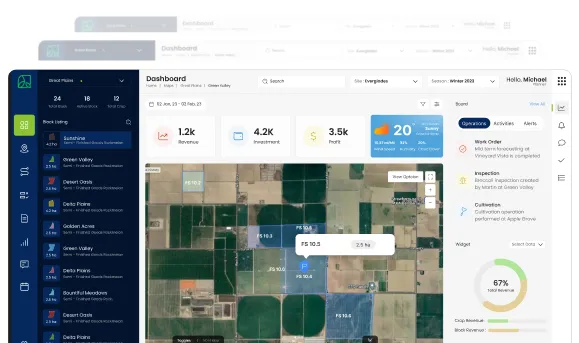
Data Analytics Solution of the Year” 2026 in Agtech Breakthrough Awards 2026


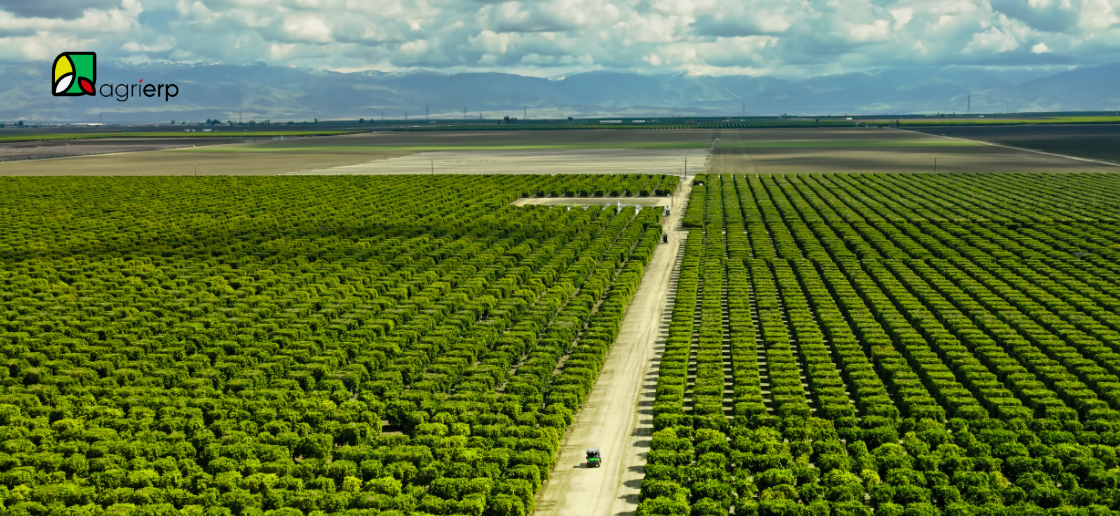
If the crop plan describes what needs to be done across the season, the work order is the single piece of work that actually gets it done. A work order is the unit of work in AgriERP: “Spray Block 14 for citrus thrips on Tuesday morning with Crew B and the small tractor.” Someone is assigned to it, it gets executed, the inputs are recorded, the time is logged, and the cost lands in the right place.
AgriERP’s Work Order Management capability is built on an enterprise-grade work order framework, the same kind used to schedule maintenance jobs at large utilities, manufacturers, and infrastructure operators. AgriERP shapes that framework for agriculture, so the same enterprise reliability runs the irrigation crew, the spray program, the harvest run, and the post-harvest cleanup.
What this section covers
- Task creation: how work orders are generated, manually, from the crop plan, or automatically from sensor and inspection triggers.
- Assignment: how work orders are routed to the right people, with the right equipment, at the right time.
- Execution: how work orders run on the ground, get captured in the field on the mobile app, and feed costs and results back into the system.
The work order framework
A work order is a structured record of a job that needs to be performed. It has a lifecycle, a destination, a set of resources, a cost, and an outcome. AgriERP’s Work Order Management is built on an enterprise framework with these standard elements:
| Capability | What it means in practice |
|---|---|
| Work order header | The top-level record: type of work, target location, scheduled dates, priority, and current lifecycle state. |
| Work order jobs | The specific tasks that make up the work order. One work order can contain multiple jobs (“spray, then irrigate, then inspect”). |
| Lifecycle states | The standard work order lifecycle moves through states like Created, Scheduled, In Progress, Completed, and Posted. The system enforces what can happen at each state. |
| Scheduled resources | The people, equipment, and inputs assigned to the work order. |
| Project linkage | Every work order is tied to a project for cost control, so labor and materials roll up into the financial system automatically. |
| Fault and downtime tracking | Where the work is corrective (an irrigation pump failed, a sprayer broke), the fault, the cause, and the downtime are captured for analysis later. |
Why this matters to you Work order management is not a custom-built capability in AgriERP. It is built on a mature, enterprise-grade framework with documented lifecycle, role-based security, project integration, and reporting. AgriERP shapes that framework for agriculture, with crop, block, and agronomic context layered on top.Your team inherits a battle-tested work order engine. The agriculture-specific shaping is what AgriERP adds, so the work order screen looks like an agricultural task list, not a generic factory job sheet.
1. Task creation
In one line Generate the right work, in the right place, at the right time, manually, from the crop plan, or automatically from sensors and inspections, so nothing important is forgotten and nothing pointless gets done.
How work orders get created
Work orders in AgriERP are created in one of three ways, each suited to a different kind of work.
1. Manual creation
Anyone with the right permission, an operations manager, a supervisor, an agronomist, can create a work order directly. They pick the type of work, the target block, the dates, the priority, and the resources, and the work order enters the system. Manual creation handles ad-hoc work: the unexpected weed flush, the emergency spray, the urgent fence repair.
2. Automatic, from the crop plan
Most work orders are not manually created. They flow automatically from the crop plan covered in the previous section. When the agronomist publishes the plan, the system generates the work orders for the season: the spray rounds, the fertilizer applications, the irrigation cycles, the pruning rounds, the harvest runs, the post-harvest tasks. Each work order is pre-populated with target block, type of work, expected inputs, and target dates. Supervisors review, adjust, and schedule. The work program is built, not improvised.
3. Automatic, from sensors and inspections
Some work is triggered by events, not by a calendar. A moisture sensor crosses a threshold and triggers an irrigation work order. A pest scout records an outbreak and triggers an emergency spray work order. An equipment sensor records a fault and triggers a maintenance work order. The system reacts to the field, not just to the plan.
Types of work AgriERP supports
| Category | Examples |
|---|---|
| Field operations | Spray, irrigation, fertilizer application, pruning, weeding, thinning, training, mowing, cultivation, mulching, planting, transplanting, scouting. |
| Harvest operations | Picking, harvest grading, bin filling, transport to packhouse, harvest reporting. |
| Post-harvest operations | Block cleanup, residue management, soil amendment, cover crop seeding, end-of-season equipment service. |
| Maintenance and repair | Equipment service (corrective, preventive, scheduled), infrastructure repair (irrigation, fencing, buildings), facility maintenance. |
| Inspections and assessments | Crop scouting, pest and disease assessment, soil sampling, quality checks, compliance audits, certification inspections. |
| Administrative and compliance work | Spray records lodgement, regulatory reporting, audit preparation, food safety inspections. |
What every work order captures at creation
- What: the type of work (spray, irrigation, harvest, repair) and the specific task or jobs that make it up.
- Where: the block, sub-block, equipment, or facility the work targets. GPS-coordinates are attached automatically for in-field work.
- When: the scheduled start and end dates, the priority, and any time-window constraints (re-entry intervals, weather windows, harvest windows).
- How: the inputs to be used (chemical, fertilizer, water, fuel), the equipment required, and the method or protocol to be followed.
- Who: the crew or worker assigned, the supervisor responsible, and any certification requirements (the work cannot be assigned to an uncertified worker).
- Why: the linkage to the crop plan, the inspection result, the sensor reading, or the request that generated this work, so context is never lost.
2. Assignment and scheduling
In one line Get the right work to the right people, with the right equipment, at the right time, every day, across every block, automatically wherever possible.
Why assignment is where most farms struggle
Most farm operations break down at the assignment step. The work is identified (“we need to spray block 14 tomorrow”), but figuring out which crew is free, which sprayer is available, who is certified for the chemical, whether the wind forecast permits it, and whether re-entry intervals on the neighbouring block allow access, becomes a series of phone calls, WhatsApp messages, and best guesses. Mistakes are common. Late starts are normal. Idle crews and idle equipment add up.
AgriERP’s Work Order Management handles assignment as a structured scheduling problem, using the standard enterprise scheduling capability underneath, shaped for agriculture.
How scheduling and assignment work
| Capability | What it provides |
|---|---|
| Resource calendars | Every worker, crew, and piece of equipment has a calendar in the system. The supervisor sees who is available, who is on leave, what is in service, and what is already committed. |
| Skills and certifications | Workers’ certifications (pesticide application, machinery operation, food safety, first aid) are tracked. The system only allows certified workers to be assigned to the work that requires them. |
| Equipment requirements | Each type of work specifies the equipment it needs. Spray on a 4-hectare block needs the medium sprayer, not the orchard mister. The system enforces the match. |
| Capacity vs. demand | Scheduled work orders show the labor and equipment demand for any given day or week. Supervisors see if they have enough capacity, or if work needs to be rescheduled. |
| Scheduling assistance | The framework’s scheduling capability proposes assignments based on availability, skills, and equipment. Supervisors confirm or override; the system learns from their choices. |
| Dispatch | Approved work orders flow to the assigned crew on the mobile app. Workers see what they need to do, where, with what, by when, without phone calls or paper schedules. |
| Lifecycle visibility | Every work order’s lifecycle state, Created, Scheduled, In Progress, Completed, is visible on the dashboard. Supervisors see what is running on time and what needs attention. |
Constraints AgriERP enforces
Agriculture has constraints that other industries do not. Work cannot just be scheduled freely; it must respect the realities of the land and the crop. AgriERP handles these as part of scheduling.
- Re-entry intervals: after a spray, workers cannot enter the block for the re-entry period. The system blocks any work order that would violate it.
- Pre-harvest intervals: after a spray, the crop cannot be harvested for the pre-harvest period. The system blocks harvest scheduling within the window.
- Weather windows: spray applications require specific wind and rainfall conditions. Weather forecasts are integrated, and the system flags work orders that fall outside acceptable conditions.
- Crew certifications: chemical handling, machinery operation, and other certifications are checked at assignment. Uncertified workers cannot be assigned.
- Equipment availability: equipment that is in service, on a higher-priority job, or has open faults cannot be assigned.
- Buyer and certification rules: some buyers and certifications (organic, GlobalG.A.P.) restrict which chemicals can be used on which crop. The system enforces those at scheduling.
3. Execution
In one line Run the work in the field, on the mobile app, with every action, input, and outcome captured in real time, so the supervisor sees what is happening and the books update themselves.
Where execution actually happens
Once a work order is scheduled and dispatched, it appears on the assigned worker’s or crew’s mobile app. The execution is done in the field, on the phone or tablet, not in the office afterwards. That distinction is the biggest difference between AgriERP and traditional farm software: the work and the recording happen at the same time, in the same place.
The mobile app is offline-capable, so spotty connectivity on a remote block does not stop work. Captures sync as soon as the device comes back online.
What execution looks like on the ground
- The crew picks up the work order on the mobile app: their task list shows what they are doing today, in priority order, with target block, method, expected inputs, and time estimates.
- They tap to start: the work order moves to In Progress. Start time is captured, with GPS verification of location.
- They record inputs as used: barcode-scan or select chemicals, fertilizers, and consumables. Actual quantities used are captured against the work order, not the planned quantities.
- They record observations: any notes, pest sightings, equipment issues, or quality observations are captured as part of the same flow, with photo evidence where useful.
- They tap to complete: the work order moves to Completed. End time is captured. Hours are logged. The crew moves to the next work order.
What happens behind the scenes as work is executed
| Capability | What it means in practice |
|---|---|
| Inventory deduction | Inputs used are deducted from inventory automatically. The bag of fertilizer that was applied is no longer counted as on-hand stock. |
| Cost allocation | Labor hours, equipment time, and consumed inputs are costed and allocated to the work order, which is tied to the block, crop, season, and project. |
| Compliance recording | Spray records are captured with full chemical, rate, date, worker, weather, and block information, ready for audit, certification, or regulator request. |
| WIP accounting | Where the work is part of a production process (harvest into packout), Work In Progress accounting moves the costs into WIP automatically, and clears them when production completes. |
| Yield and quality capture | Harvest work orders capture quantities and grades, by bin, by block, by crew, as the work is done. |
| Project posting | Costs roll up through the linked project into financial reporting, so cost-per-block, cost-per-crop, and budget-vs-actual update in real time. |
What execution captures that the office could not capture before
- Time on task, not on the timesheet: the system knows the crew was on Block 14 from 7:32 to 11:14, doing the spray work order. Time is captured as it is spent, not estimated at the end of the week.
- Real input usage: the spray protocol planned 80 litres of mix. The crew actually used 84. The difference is recorded, not approximated.
- What changed mid-job: the crew noticed leaf damage they did not expect; they captured a photo and a note against the work order. It is in the system, against the right block, for the agronomist to act on.
- Audit-ready records: weeks later, when an auditor asks who sprayed what, where, when, with what conditions, the answer is a single search away.
4. The full work order lifecycle
A work order moves through a defined lifecycle. The standard states are inherited from the underlying framework; AgriERP shapes them around agriculture.
| Lifecycle state | What it means |
|---|---|
| Created | The work order has been raised, either manually, from the crop plan, or by a trigger. Target block, type of work, and required inputs are defined, but resources are not yet assigned. |
| Scheduled | The work order has been assigned to a crew, equipment, and a specific date and time. It appears on the mobile app for the assigned crew. |
| In Progress | The crew has tapped start. Time is being recorded. Inputs are being captured. The work order is being executed in the field. |
| Completed | The crew has tapped complete. Actual times, inputs, observations, and outcomes are captured. The supervisor reviews. |
| Posted | The work order has been posted to the financial system. Inventory has been deducted. Labor and equipment costs have been allocated. The cost lives on the right block, crop, and season. |
| Cancelled (if applicable) | If a work order is no longer needed (weather, change of plan, equipment failure), it can be cancelled with a reason recorded for analysis. |
One example: the full lifecycle on a single work orderIt is Sunday evening. The agronomist publishes the spray plan for the week.Created: the system generates 12 spray work orders for the week. One of them: Spray Block 22 for citrus thrips, Tuesday morning, with the recommended chemical at 1.5 L/ha.Scheduled: Monday morning, the supervisor confirms Crew B and the medium sprayer, books the 7 to 11 window, checks the weather (within spec), and confirms re-entry intervals on the adjacent block do not conflict.In Progress: Tuesday 7:08am. The crew arrives, taps start on the mobile app, mixes the chemical (scanned from the warehouse stock), and begins. Application is captured: 1.45 L/ha actual rate, wind 6 km/h, temperature 18C.Completed: Tuesday 10:42am. Crew taps complete. 87 litres of mix used. Time logged. Worker observes early signs of leaf miner on the southern edge; captures a photo against the work order.Posted: Tuesday afternoon. Inventory shows 87 L deducted. Labor cost of $235 lands on Block 22, 2027 mandarin crop, spray activity. Compliance log records the application. Re-entry interval is enforced on Block 22 for the next 24 hours.Followed up: Wednesday morning. The agronomist sees the leaf-miner photo, raises a scouting work order, schedules it for Thursday. The loop continues.One work order, one job, one full lifecycle, from plan to cost, with the right people informed at every step.
In summary
Work Order Management is where AgriERP turns plans into reality and reality into data. Tasks are created from the crop plan, from sensor and inspection triggers, or by the team directly. Assignment uses the enterprise scheduling capability, shaped for agriculture, to put the right people, equipment, and timing together while enforcing agronomic and compliance constraints. Execution runs on the mobile app in the field, capturing time, inputs, and outcomes as they happen, so the office systems update themselves.
The next section moves to Production Management, where harvested produce flows from the block to the packhouse and becomes the final, saleable product, with the same audit trail that started at the work order in the field.