The ERP Solution for the Year” 2025 in Agtech Breakthrough Awards 2025

Dynamics NAV to Business Central Migration for Agriculture

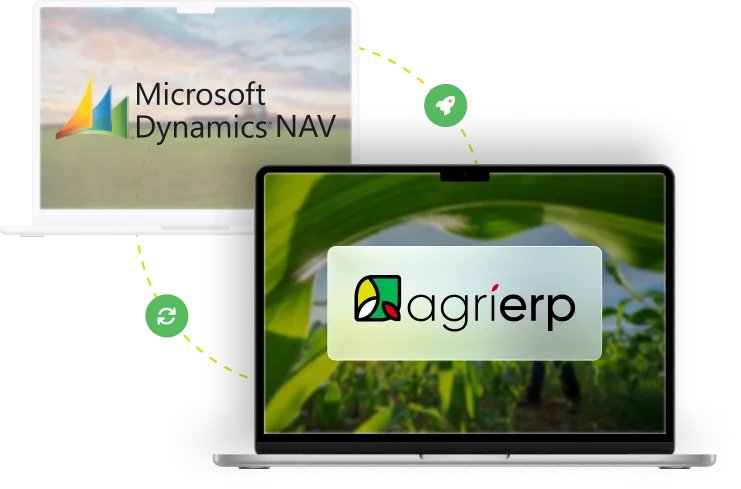
Migrate from Dynamics NAV to AgriERP

Dynamics NAV helped you manage the past — and support for it ends in January 2028. AgriERP is built on Microsoft Dynamics 365 Business Central, NAV's direct successor. Which means this isn't a rip-and-replace: it's the upgrade Microsoft designed, plus the crop, grower, and harvest management NAV never had.

Agricultural ERP experience across complex operations

Why Agribusinesses Switch

Why Agribusinesses Are Moving from Dynamics NAV to AgriERP

NAV earned its reputation. Solid financials, real dimensions, native lot tracking, dependable warehousing — for two decades it ran mid-size agribusiness better than almost anything else. If your operation still runs on it, that was a good decision when you made it.

But NAV's story has an ending, and Microsoft has published the date. The final version shipped in 2018. Mainstream support is already over. Extended support for NAV 2018 ends January 11, 2028 — after that, no security patches, no tax and regulatory updates, no Microsoft support. Meanwhile your customizations live in C/AL, a language Microsoft no longer trains partners on, and every year of enhancement fees buys maintenance on a product that will never gain another feature.

Here's the part that changes the math: Microsoft's designated successor to NAV is Dynamics 365 Business Central — and that's exactly what AgriERP is built on. Same lineage, same core business logic, same posting groups and dimensions you already know. You're not leaving the Microsoft ecosystem. You're completing the upgrade it designed — and gaining agriculture functionality NAV never had.

The Published Timeline

Dynamics GP End-of-Life Dates

These are Microsoft's official milestones. Two have already passed. The one that matters most to payroll users is December 31, 2029 — the last tax and regulatory update GP will ever receive.

MICROSOFT
Dynamics NAV 2016

SUPPORT ENDED
ENDED
April 14, 2026
106 days since support ended

MICROSOFT
Dynamics NAV 2017

ENDING SOON
END OF SUPPORT
January 11, 2027
5 months · 165 days remaining

MICROSOFT
Dynamics NAV 2018 (final version)

SOON
END OF SUPPORT
January 11, 2028
17 months · 530 days remaining

On GP 2015, 2016, or 2018? Those versions face their own earlier support cliffs under Microsoft's Fixed Lifecycle Policy — your real deadline may already be here.

Head to Head

Dynamics NAV and AgriERP

NAV is a real ERP, and we'll say so. The gaps aren't in what it was — they're in what it can never become: cloud-native, agriculture-specific, and continuously updated.

Capability

Core Financials

Strong, mature GL and posting-group architecture
Full Business Central financials plus agricultural cost structures

Dimensions

Strong — global and shortcut dimensions
Inherited from BC, plus ag dimensions: field, crop, season, lot

Lot & Serial Tracking

Native
Native, extended to harvest lots, bins, and field-level trace

Microsoft Support

Ends January 11, 2028 (NAV 2018); earlier versions already unsupported
Continuous updates under Microsoft's Modern Lifecycle Policy

Deployment

On-premise; remote access via VPN
Cloud SaaS with mobile field and warehouse access

Farm & Crop Management

Not native — custom C/AL development only
Native crop, field, block, and season management

Grower Accounting

Not native
Grower settlements and grower portal built in

Harvest & Yield

Not native
Harvest management and per-acre / per-head costing

Analytics & AI

RDLC-era reporting; no native Power BI or Copilot
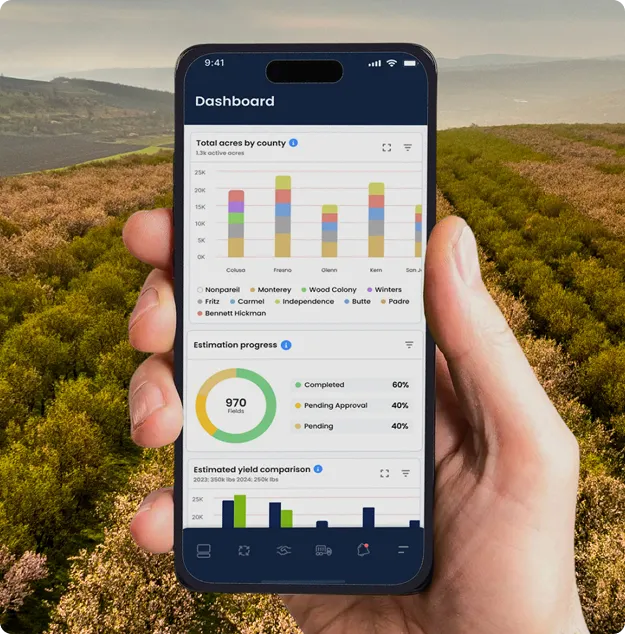
Power BI dashboards and Microsoft Copilot on your farm data

Customizations

C/AL — deprecated; upgrades break them
AL extensions that survive every update

Food-Safety Traceability

Lot data exists, but no modern trace reporting workflows
FSMA-ready lot traceability with rapid recall reporting

Upgrade Model

Each major upgrade is a re-implementation project
Automatic, non-breaking cloud updates

NAV capabilities vary by version and customization. We'll assess your specific environment — objects, add-ons, and integrations — during discovery.

WHY MOVE NOW

Five Reasons NAV Farms Are Making the Move

The same assistant, applied to four places a fast answer helps: the field, the inputs, the back office, and the season ahead.

Complete the Upgrade Microsoft Designed — Don't Start Over

Most ERP migrations mean abandoning everything your team knows. This one doesn't. Business Central is NAV's direct successor — the same Navision lineage, the same core business logic. AgriERP builds on that foundation.

What carries over from NAV:

Your data — chart of accounts, dimensions, items, customers, vendors, and open transactions map naturally to Business Central

Your team's knowledge — posting groups, journals, and item ledger concepts work the way they always have

Your Microsoft ecosystem — and more of it: Microsoft 365, Teams, Azure, Power BI

A NAV-to-Business-Central migration is the path Microsoft built tooling for. AgriERP just makes sure you land on a platform that speaks agriculture when you arrive.

Agriculture Built In — Not Bolted On in C/AL

Every ag capability your NAV system has today was custom-built — grower settlements coded by a consultant, harvest tracking bolted on, field costing living half in NAV and half in spreadsheets. That code is written in a deprecated language, and the developers who understand it are retiring faster than they're being replaced.

AgriERP ships what you had to build — as standard:

Crop, field, block, and season management with harvest and yield tracking

Grower accounting and settlements, with a portal your growers log into

Per-acre and per-head costing tied directly to the general ledger

Land-lease management, quality control, and equipment tracking

Keep the functionality. Retire the legacy code that delivers it.

From the Server Room to the Field

NAV lives on a server your IT team maintains, patched by hand, reached from the field through VPN gymnastics — when it can be reached at all. Your operation doesn't work in one building anymore. Your ERP still does.

AgriERP is cloud-native on Business Central:

Any device, anywhere — field, packhouse, scale house, or home office

No servers to maintain, patch, back up, or replace

Real-time data across every site and entity

Enterprise security and backups handled by Microsoft's cloud

Approve a purchase from the pickup. Check inventory from the packhouse. Close the month from anywhere.

Analytics That Didn't Exist in 2018

NAV's feature set froze the year it stopped shipping. Everything Microsoft has built since — native Power BI, Copilot, AI-driven forecasting — landed in Business Central, not NAV. Your reporting is stuck in the RDLC era while your competitors ask their ERP questions in plain English.

AgriERP puts modern intelligence on your farm data:

Power BI dashboards for cost per acre, yield, margins, and entity performance

Microsoft Copilot to query, summarize, and draft from your live data

AI-assisted demand and yield forecasting

Real-time visibility instead of month-end report runs

The platform keeps improving every release cycle — automatically, without breaking anything.

Stop Paying Maintenance on a Product That's Finished

Staying on NAV isn't free. Enhancement fees rise every year on a product that will never gain a feature. Servers age. C/AL developers get scarcer and pricier. Auditors start asking why core systems run unsupported software — and food-safety rules like FSMA's traceability requirements demand reporting speed NAV's structures weren't designed for.

Moving to AgriERP converts that spend into progress:

Predictable per-user subscription instead of enhancement fees plus infrastructure

FSMA-ready lot traceability with recall reporting in minutes, not days

Compliance documentation — FDA, USDA, audit logs — generated by daily work

Microsoft cloud-transition licensing incentives for qualifying NAV customers

Every dollar currently maintaining the past can fund the platform that moves you forward.

Connected Agribusiness

Modern Integrations NAV Was Never Built For

API-first on Business Central, AgriERP connects with the machinery, weather, commerce, and logistics tools that legacy web services couldn't reach.

John Deere

Climate View

Shopify

Magento

eBay

Walmart

BigCommerce

WooCommerce

Amazon

Shipstation

Shippit

ADS

FedEx

DHL

Dynamics 365

Oracle

SAP

Can’t find your desired integration? Just let us know, and we’ll build one for you!

Ready to Grow Beyond Accounting Software?

You didn't outgrow good bookkeeping. You outgrew what accounting software alone can do. Take the leap forward with AgriERP and run your entire operation from one platform.

Compliance & Traceability

Compliance & Traceability Made Easy

Keep your farms and facilities audit-ready with automated documentation, real-time logs, and built-in controls for FDA, USDA, and FSMA compliance — including the traceability reporting modern food-safety rules demand.

Partners & Affiliations

Simplified Migration

Our Structured Approach for Simplified Migration

Your NAV system holds a decade or more of customizations and clean history. We migrate it as a guided, phased process — mapped object by object, scheduled around your seasonal calendar, and never live during harvest.

Phase 01

Solution Discovery We inventory your NAV version, C/AL customizations, ISV add-ons, integrations, and data — then decide, object by object, what maps to Business Central, what AgriERP's ag modules replace, and what retires.

Phase 02

Project Planning We build an implementation plan around your goals, business cycles, and seasonal calendar — reducing disruption and keeping your team in control throughout.

Phase 03

ERP Implementation We configure AgriERP on Business Central, rebuild retained logic as clean AL extensions, and wire your integrations API-first.

Phase 04

Data Migration from NAV Master data, dimensions, open transactions, and inventory with lot and serial history migrate via Microsoft's proven NAV-to-BC tooling; a defined window of posted history comes across, with the rest archived and accessible.

Phase 05

Go Live & Onboarding After comprehensive UAT — balances reconciled to NAV, trace tests passed — we go live and train your team for a smooth transition.

Phase 06

Ongoing Support Our dedicated support team assists you around the clock under our SLA agreement — and from here, updates arrive automatically instead of as upgrade projects.

Frequently Asked Questions

Dynamics NAV to AgriERP Migration FAQs

When does Microsoft Dynamics NAV support actually end?

Mainstream support has ended for every NAV version. Extended support for NAV 2016 ended April 14, 2026; NAV 2017 ends January 11, 2027; and NAV 2018 — the final version — ends January 11, 2028. After that: no security patches, no regulatory updates, no Microsoft support.

Business Central is NAV's direct successor, built on the same core business logic from the Navision lineage. Posting groups, dimensions, journals, and item ledger concepts carry over — which is why migrating to AgriERP on Business Central is an upgrade path, not a rip-and-replace.

Customizations worth keeping are rebuilt as clean AL extensions, since C/AL is deprecated. Many NAV customizations — grower settlements, lot handling, harvest workflows — are replaced outright by AgriERP's native agriculture modules, so you keep the functionality without the legacy code.
Master data (customers, vendors, items, GL, dimensions), open transactions, and a defined window of posted history migrate into AgriERP. Older history can be archived and kept accessible for reporting. The exact scope is confirmed during discovery.

Core financials plus one operational area typically takes three to four months; larger multi-site implementations run six to twelve months. Milestones are scheduled around your seasonal calendar — never a go-live during harvest.


You gain more of it. AgriERP on Business Central brings native Power BI, Microsoft Copilot, Microsoft 365 and Teams integration, Azure infrastructure, and continuous updates under Microsoft's Modern Lifecycle Policy — no more re-implementation-grade upgrades.