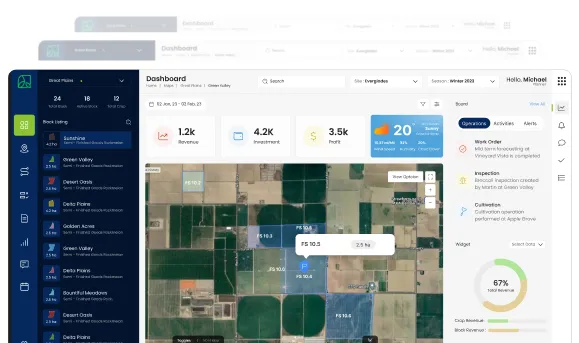
Data Analytics Solution of the Year” 2026 in Agtech Breakthrough Awards 2026



Transportation Management is the module that runs every aspect of physically moving things in and out of the agribusiness, from inbound deliveries of inputs from suppliers, through internal transfers between farms and facilities, to outbound shipments of finished produce to buyers. It is the module that turns a logistics operation from a series of phone calls into a structured, costed, traceable operation.
This module is built on an enterprise-grade Transportation Management System (TMS), the same kind that runs the distribution operations of global manufacturers, retailers, and 3PL providers. AgriERP shapes it for agriculture, where loads carry perishable produce, deliveries align with harvest windows, and the documents that travel with goods include compliance records that buyers and regulators require.
Where this fits
Transportation Management consumes data from Sales & Contracts (the orders to be shipped), Procurement (the inbound deliveries to be received), and Inventory & Warehouse Management (the inventory being moved), and produces freight cost that flows into Financial Management. For the workflow view of how dispatch runs day-to-day, see Business Processes > Logistics / Outbound Transportation. This document is the module-level catalog.
1. Route planning
The Rate Route Workbench
Route planning in AgriERP runs through the standard Rate Route Workbench, the central form that ties rating and routing together. Configurations from the rating and routing setup feed the workbench; users access it from sales orders, load planning, and direct shipment management. When opened from a sales order, the workbench auto-populates all the relevant data: origin, destination, weight, volume, items.
| Function | What it does |
|---|---|
| Rate | Retrieves the best rate available (lowest cost), based on the configured rating engines, carrier contracts, and tariff data. |
| Rate Shop | Retrieves multiple rate and route options side by side, so the dispatcher can compare cost, service level, and transit time, and choose based on the priority of the shipment. |
| Route | Retrieves only the available routes matching the source and destination criteria, useful when the routing choice is constrained but the rate is fixed. |
| Direct origin access | The workbench can be accessed from sales orders, from load planning, or from a load directly. Auto-population reduces manual data entry. |
| Cost flow into the order | When a rate is accepted, freight cost is allocated to the order. The true delivered cost is known before the load leaves. |
Rating components
- Rating profiles: the top-level configuration that determines which rating engine and rate master apply to which shipments.
- Rate masters: the actual rates and tariff tables for each carrier, including base rates, fuel surcharges, accessorials, and special tariffs.
- Rate base assignments: link rating profiles to specific carriers, lanes, and shipment types.
- Break masters: define pricing breakpoints based on weight, distance, or volume, with comparison criteria and units.
- Rating engines: the components that compute rates from the configured data. Standard engines work with internal data; custom engines can connect to external systems through the Integration Layer.
Routing components
- Route guides: match shipments to scheduled routes based on source, destination, and shipment characteristics.
- Scheduled routes: routes that run on defined days, with assigned carriers and capacity. Used for regular delivery patterns.
- Routing constraints: restrictions on what can go where: “organic certified loads only on this carrier,” “this item cannot be shipped to this region,” enforced at planning, not after.
- Stop sequencing: for multi-stop routes, the order of stops is sequenced to minimise driving while respecting delivery windows at each stop.
2. Load building
How load building works
The system combines sales orders into proposed loads based on the configured load building strategy. The standard Volume-based load building strategy uses the maximum values for height and weight specified in the load template; values can be overridden when the dispatcher has specific knowledge that should override the standard rules.
| Capability | What it means in practice |
|---|---|
| Load templates | Define the characteristics of each vehicle or load type: weight limit, volume limit, special requirements (refrigerated, controlled atmosphere). |
| Load building strategies | The rules that determine how loads are built. The standard Volume-based strategy is included; custom strategies can be added for specific operations. |
| Load building templates | Determine which load building strategy applies to which scenarios, with options to filter by site, warehouse, customer, or shipment characteristics. |
| Load planning workbench | The screen where the dispatcher reviews proposed loads, splits, merges, or rebalances them, and confirms vehicle and route assignments. |
| Capacity constraints | Vehicle capacity (weight, volume, pallet positions, refrigeration), driver constraints (working-hour limits), and route constraints (transit time, delivery windows), all enforced during load building. |
| Multi-stop loads | Where one vehicle delivers to multiple stops, the loads are built and sequenced together. The system optimises the stop order. |
What load building enforces
- Volume and weight limits: no load is proposed that exceeds the vehicle’s safe capacity.
- Compatibility constraints: incompatible products (chemicals with food, fragile with heavy) are not combined on the same load unless explicitly allowed.
- Temperature compatibility: frozen, chilled, controlled-atmosphere, and ambient product are combined only on vehicles equipped for the appropriate range.
- Delivery window compatibility: orders requiring delivery in conflicting windows are not combined on the same load.
- Buyer-specific rules: some buyers require dedicated loads (their product only). The rule is captured and enforced.
- Sequencing for unloading efficiency: where the load has multiple stops, the load is built and stacked so each delivery comes off in the right order.
3. The wider TMS
Carrier management
| Capability | What it means in practice |
|---|---|
| Carrier master | Every carrier (third-party or self-fleet) has a master record: contact details, services offered, equipment types, geographic coverage. |
| Contracts and tariffs | Carrier contracts with rate tables, fuel surcharge formulas, accessorial charges, and service-level agreements, stored in the system and used by the rating engines automatically. |
| Performance metrics | On-time performance, damage rates, dispute history, tracked per carrier and visible during carrier selection. |
| Tendering | Where required, shipment requests are sent to carriers electronically; acceptance and capacity confirmation flow back through the Integration Layer. |
| Self-fleet management | Internal vehicles run on the same TMS, with vehicle availability, driver scheduling, and internal cost rates handled alongside external carriers. |
Multi-modal transportation
- Road: the most common mode for short and medium distances. Standard truck, trailer, and refrigerated vehicle support.
- Rail: for long-distance bulk movement (grain, processed product, container-rail). Different rating and routing rules from road.
- Air: for high-value, time-sensitive product (premium produce, perishables for distant export). Specialised carriers and pricing.
- Sea: for long-distance international shipments, especially in reefer containers. Booking, container release, and bill-of-lading management integrated.
- Mixed-mode shipments: where a single shipment uses multiple modes (truck to port, sea to destination port, truck to final delivery), the leg-by-leg management is supported.
Documents and compliance
| Capability | What it means in practice |
|---|---|
| Bills of lading | Generated automatically from the load and the order data. Multiple BoL formats (straight, order, multi-carrier) supported per the shipment requirements. |
| Packing lists | Per-shipment, per-pallet packing lists with traceability codes, generated alongside the BoL. |
| Shipping labels | Buyer-specific shipping labels, generated to the buyer’s required format (barcode, QR, retailer-specific encoding). |
| Customs documents | For cross-border shipments: commercial invoice, packing list, certificate of origin, phytosanitary certificate, customs declarations. Generated from the same data. |
| Certifications | Organic, GlobalG.A.P., halal, kosher, and other certifications attached to the shipment from the underlying lot data, without retyping. |
| Proof of delivery | Electronic proof of delivery captured at the destination: signature, photos, timestamp, exception notes. Stored against the order and accessible to finance immediately. |
Tracking and visibility
- Shipment status: every load has a current status, dispatched, in transit, at hub, out for delivery, delivered, available in real time on the dispatch dashboard.
- Carrier GPS and milestones: where carriers provide tracking via integration, milestone events and GPS data flow into AgriERP automatically.
- Temperature monitoring: for refrigerated loads, temperature sensor data flows in continuously. Excursions are alerted before they become claims.
- Buyer notifications: status updates, dispatch confirmations, ETA changes, and delivery confirmations can be sent to buyers automatically, with templates per buyer or per channel.
Freight cost and reconciliation
- Cost during planning: freight cost is calculated and allocated to the order at the rate-route workbench, so the order’s true delivered cost is known before dispatch.
- Carrier invoice receipt: as carrier invoices arrive, they are entered against the shipments they cover. Match logic compares billed cost to rated cost.
- Three-way match for freight: freight invoices are matched against the rated cost and the proof-of-delivery confirmation. Discrepancies route for review; matched invoices flow to AP.
- Freight cost accrual: where the carrier invoice arrives after the period close, freight accruals are posted automatically so cost-of-goods-sold for the period is complete.
4. The TMS in summary
Transportation Management is the module that runs the physical movement of inventory in and out of the agribusiness as a structured, costed, traceable operation. Route planning, through the Rate Route Workbench and its supporting rating and routing components, determines the most efficient way to move every load. Load building consolidates orders into optimised loads while enforcing capacity, compatibility, and buyer-specific rules. Carrier management, multi-modal support, document generation, tracking, and freight reconciliation make the broader TMS a complete operating system for logistics, not just a planning tool.
For the workflow view of how this module is used during daily dispatch, see Business Processes > Logistics / Outbound Transportation. For the financial impact of freight cost on order profitability, see Functional Modules > Costing & Profitability.